
Fixing Fn + F on macOS with Third-Party Keyboards Using Macros
Published:
Hook
About a month ago on my birthday, my friend @ZigaoWang gave me a Keychron K2 Max with Banana switches.
However, the Fn + F shortcut which I often use for fullscreening did not work as usual.
After investigating further, I found out that Macs only treat Fn keys from Apple’s own keyboards as the Globe key (which is different from the Fn key despite its location), and ignore this signal if it comes from third-party keyboards.
The workaround is to create a keyboard macro which remaps Fn + F to Command + Control + F, a shortcut that works universally, regardless of the keyboard’s brand.
Steps
- Connect your Keychron K2 Max to your Mac through a USB-C cable, and turn the keyboard to
Cablemode. - Visit Keychron Launcher, choose your keyboard and connect, and then choose
Macroon the left sidebar.
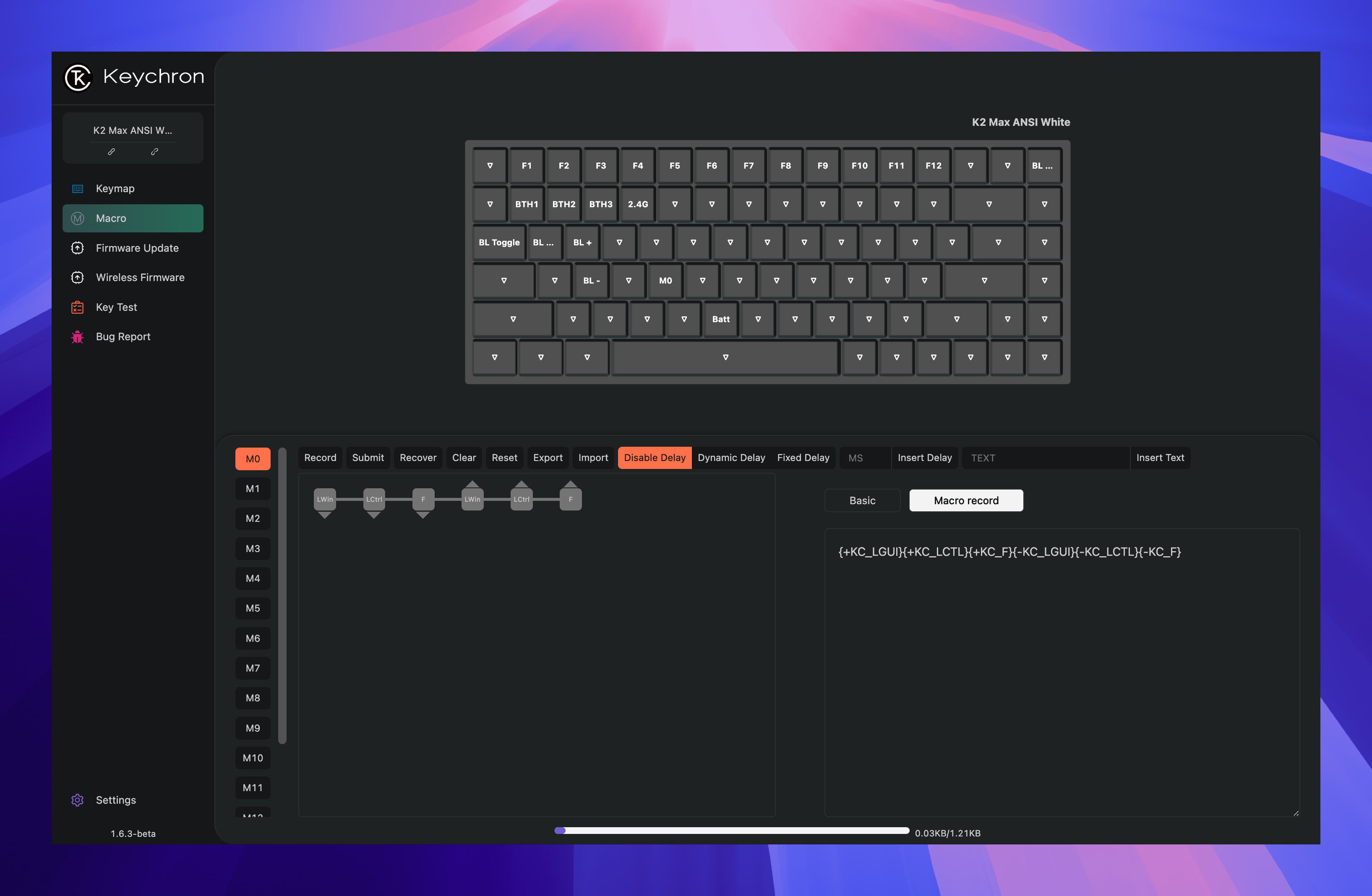
- Record a macro. I use
M0as an example here, with the following content:
{+KC_LGUIX+KC_LCTLX+KC_FX-KC_LGUIK-KC_LCTLX-KC_F}
Which is equivalent to pressing the left Control key, left Command key, and F key simultaneously, and clicking Submit after releasing them.
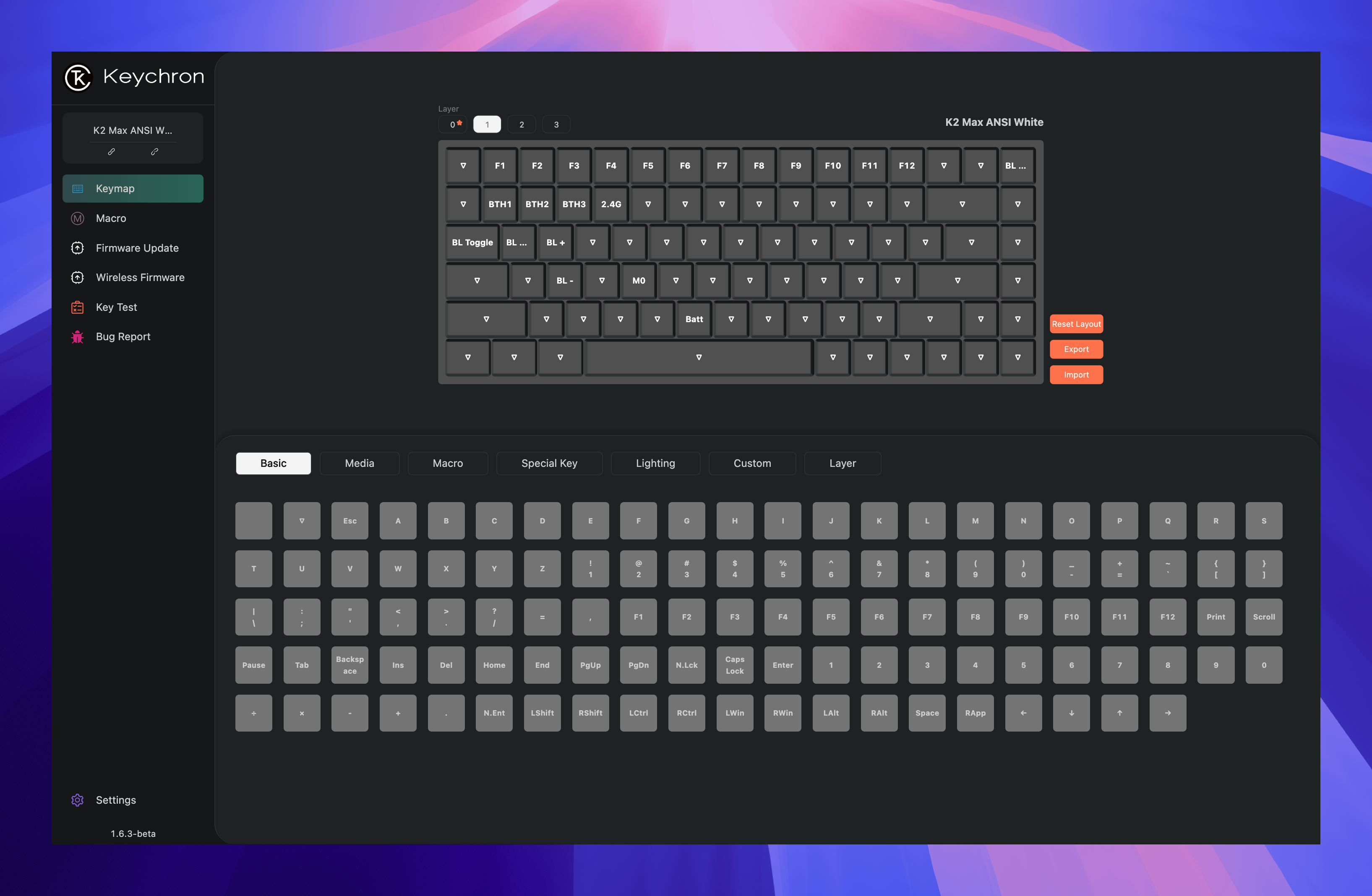
- Finally, choose
Keyboardfrom the left sidebar, chooseLayer 1, and map theFkey to the corresponding macro (M0in this example).
This should permanently resolve the issue. Enjoy!
Leave a Comment